
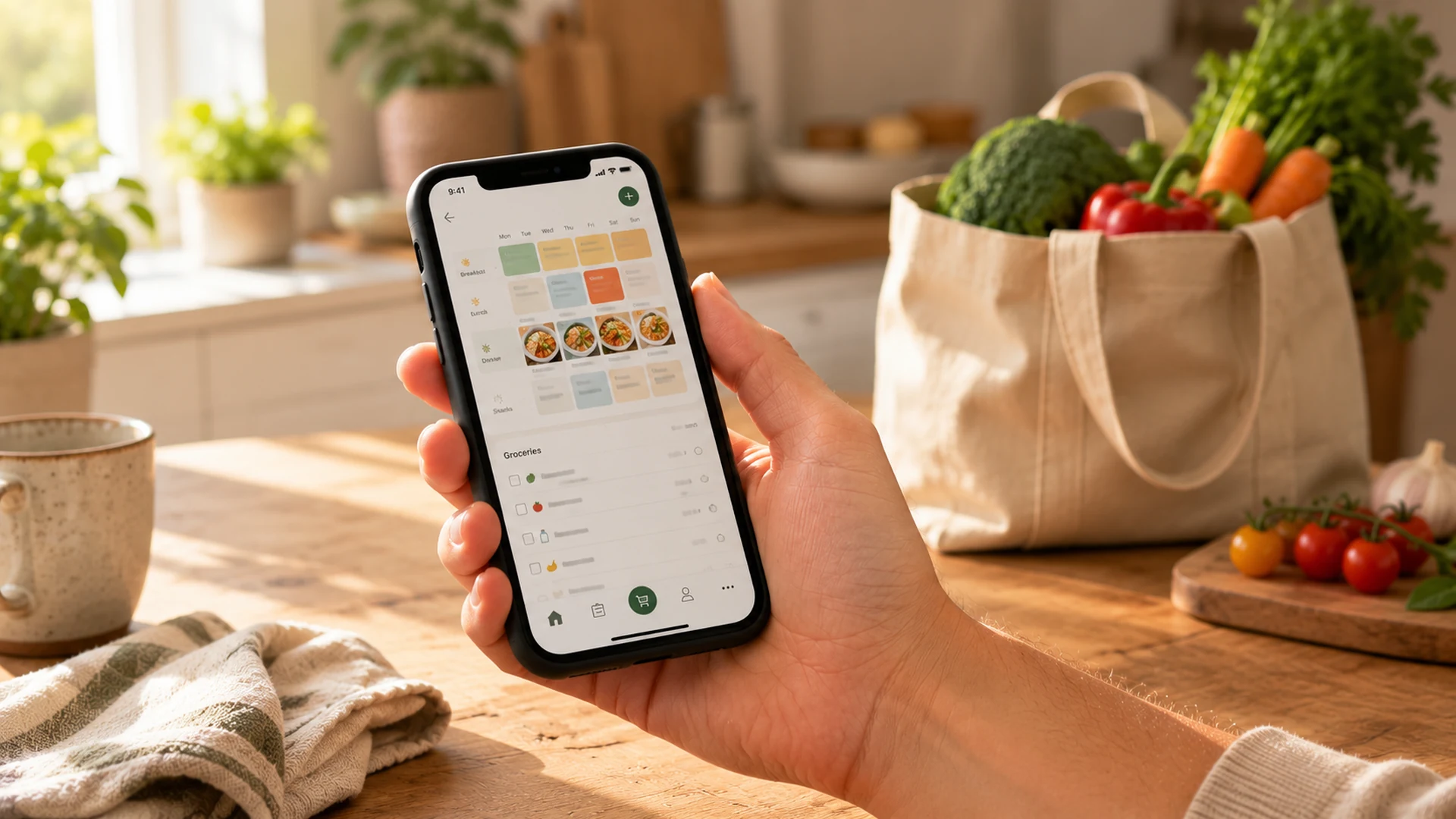
“Monday: ???” on a whiteboard by Wednesday is the default state of meal planning for a lot of families — buying groceries without a plan, defaulting to the same seven dinners, and staring at the fridge on a Sunday afternoon hoping something new appears.
What actually fixes that usually isn’t motivation or willpower — it’s an app that handles the friction points a whiteboard can’t: a grocery list that auto-populates from the meal plan, recipe suggestions calibrated to what a family will actually eat, a reminder that something needs to defrost.
If you want the nutritional foundations first — what kids actually need at each age — my family nutrition guide for kids covers that. But if you’re trying to make meal planning for families actually work — not just theoretically, but week after week — these are the apps worth trying, and what makes each one worth it for different family situations.
Some links on this page are affiliate links. I only recommend apps backed by careful feature and pricing comparison. See my full affiliate disclosure.
Table of Contents
- Why apps make meal planning actually stick
- Meal planning for families: our top picks
- How to start easy family meal planning
- What makes a healthy family meal planner
- Which app fits your family?
- FAQ
Why Apps Make Meal Planning Actually Stick
A good meal planning app solves a problem that paper planners and spreadsheets don’t: integration. Paper planners work for about two weeks. Then the plan gets out of sync with what’s actually in the fridge, the grocery list lives somewhere else, and the whole system requires more maintenance than the problem it was solving.
The meal planning apps that work for families solve this by connecting the meal plan, grocery list, and recipe collection in one place. You plan Monday’s dinner and the ingredients automatically add to the shopping list. You change Thursday’s plan because the chicken didn’t go on sale and the list updates. The system follows you, not the other way around.
The other thing apps handle well is the recipe suggestion problem. When family meal planning runs on autopilot, families rotate through the same 5–7 meals until someone gets bored enough to try something new. A well-built meal planning app with a good recipe library gives you a rotating pool of tested options without requiring you to generate new ideas every week.
Meal Planning for Families: Our Top App Picks
Mealime — Best for Recipe-Driven Planning
Mealime is what I recommend first to families who want the app to do most of the thinking. You set your household size, dietary preferences, and any ingredient exclusions, and Mealime suggests a week of meals and generates a consolidated grocery list automatically. The recipe library is large, well-organized, and focused on realistic weeknight cooking — not elaborate food blogger content that looks great and takes an hour. Try Mealime.
The free version covers the basics well. Mealime Pro ($5.99/month) adds recipe customization, more filtering options, and the ability to scale recipes easily for different household sizes. For families with picky eaters or specific dietary restrictions, the Pro filtering is worth it.
If you want an app that does the thinking for you, Mealime suggests a full week of dinners and builds the grocery list automatically — Pro adds filtering for picky eaters.
Plan to Eat — Best for Bringing Your Own Recipes
Plan to Eat is for families who already have recipes they love and want a better system for organizing and planning around them. The browser extension imports recipes from almost any website with one click. You build a recipe library over time, then drag and drop into a meal plan calendar. The grocery list is smart about consolidating ingredients across multiple recipes.
It’s a more structured system than Mealime — better for families who meal plan seriously and want to build a curated library rather than get daily suggestions. At $5.95/month (or $49/year), it’s priced similarly to other options. The two-week free trial is generous enough to build an actual routine before committing. Try Plan to Eat.
AnyList — Best for Grocery List–First Families
AnyList started as a grocery list app and added meal planning on top. If the grocery list is your biggest pain point — items in the wrong category, forgotten things, updating across multiple devices — AnyList is genuinely excellent. The shared list feature (essential for two-parent households where shopping duty rotates) works smoothly. The meal planning side is simpler than Mealime or Plan to Eat but functional.
Free version is solid. AnyList Complete ($2.99/month) adds more recipe features and better meal planning integration. Good entry point if you want to start simple. Try AnyList.
Little Lunches — Best for Kid-Focused Meal Planning
Mealime, Plan to Eat, and AnyList are general family planners. Little Lunches is the one in this list built specifically around planning kids’ meals, rather than an adult-focused system with kid filters bolted on. If your planning problem is less “what’s for dinner” and more “what will my kid actually eat this week,” it’s the one to test first. It’s a paid subscription, not a free planner.
Plan a week of meals your kid won’t push away
Lock the week, auto-build the grocery list, and drop the nightly “what will they even eat” guesswork — straight from your phone.
Samsung Food (formerly Whisk) — Best Free Option
Samsung Food — the app formerly known as Whisk, rebranded in 2023 — is fully free and does more than most free apps: recipe import, grocery list, and a basic meal planning calendar. If you want to try a meal planning app before committing to a paid subscription, Samsung Food is the place to start. The recipe import tool is reliable, the grocery list consolidates well, and the interface is clean. It lacks the depth of Mealime or Plan to Eat but covers the basics at no cost. Try Samsung Food.
The one thing paper loses is the grocery-list integration apps handle automatically. bloom Weekly Magnetic Meal Planning Pad builds that back in — a printed weekly template with a matching magnetic grocery list.
How to Actually Start Easy Family Meal Planning
Easy family meal planning is less about the perfect system and more about starting with the smallest version that’s still useful. Most families who stick with it long-term say the same thing: start smaller than feels necessary. Trying to plan every meal for every day is the most common reason the habit collapses in the first month.
The approach that actually works: plan three dinners per week, not seven. Build the grocery list from those three. Cook with the assumption that there will be at least one night of leftovers. Once the habit is established after a few consistent weeks, expand to four or five — and when dinners are running smoothly, breakfasts are the next easy win: my healthy breakfast ideas for kids slot straight into a weekly plan. Overengineering it from the start creates a system that works in theory and fails in practice.
App tip: don’t use the meal planning feature immediately. Spend the first week just importing recipes you already know your family likes. Once you have 15–20 recipes in your library, meal planning becomes much faster — you’re pulling from a curated set rather than browsing a stranger’s recipe database cold.
The honest framing on all of these: the best meal planning app for families is the one you’re still actually using in three weeks. A feature-rich app you abandon after two weeks is less useful than a simpler one you open every Sunday. Start with the free tier of whichever app solves your most specific problem, not the one with the most capabilities.
What Makes a Healthy Family Meal Planner
Not all meal planning apps are built for families. The ones that work share a few specific requirements that solo-use apps often skip:
Household size scaling. A recipe designed for 2 needs to scale cleanly to 4 or 5. Apps that can’t scale reliably create constant manual adjustment.
Shared grocery list. Essential if more than one person shops or updates the list. AnyList and Mealime both handle this well.
Picky eater filters or exclusions. The ability to exclude ingredients (or whole categories) is more useful than it sounds. “No fish,” “no spicy,” or “no visible onions” filters mean fewer suggested meals you immediately dismiss.
Realistic recipe difficulty. The best family meal planner apps lean toward weeknight-realistic: under 30 minutes active, common ingredients, no specialty equipment. Apps optimized for cooking enthusiasts often overindex on complex recipes that don’t survive contact with a Tuesday at 6pm.
Offline access. You’ll use the app at the grocery store. Offline access or reliable low-signal performance matters more than the average app review considers.
Which App Fits Your Family?
Every family hits a different bottleneck. Answer one question and you’ll get the pick that matches yours.
What trips up your meal planning the most right now?
Frequently Asked Questions
For most families, Mealime is the strongest starting point — it handles recipe suggestions, household size scaling, and grocery list generation automatically, with a solid free tier before committing to Pro. Plan to Eat is better for families who want to organize their own recipe collection and meal plan from a curated library. AnyList works best when the grocery list is the primary pain point. The best meal planning app for your family depends on which part of the process you currently find most frustrating.
Yes — Samsung Food (formerly Whisk) is fully free with no paid tier required, and it covers recipe import, grocery list generation, and basic meal planning. Mealime and AnyList also have capable free tiers that handle core functionality before you decide whether to upgrade. Plan to Eat offers a two-week free trial. For most families, starting with Samsung Food or Mealime’s free version for 4–6 weeks is enough to know whether a meal planning app actually changes your habits before paying for one.
Easy family meal planning starts smaller than most people try. Plan three dinners per week, not seven. Use the grocery list feature to build the shopping list from those three meals. Assume one or two nights will be leftovers or a simple fallback. Once that habit is consistent for a few weeks, expand to four or five planned dinners. The most common reason it fails is starting with a system that’s too ambitious — seven meals, snacks, lunches, and a detailed budget — and abandoning it after two weeks because it takes more energy than it saves.
A healthy family meal planner needs a few things beyond basic recipe storage: realistic weeknight recipe difficulty (under 30 minutes, common ingredients), the ability to scale recipes for household size, ingredient filters for picky eaters or dietary restrictions, a shared grocery list that multiple family members can update, and reliable offline access for use at the store. Apps optimized for cooking enthusiasts or solo cooks often miss one or more of these. Mealime and Plan to Eat both hit most of these marks for family use.
In the first two weeks, meal planning usually costs more time than it saves — the setup, learning the app, building the habit. After that, most families save 1–2 hours per week in reduced decision time, fewer mid-week grocery trips, and less food waste from buying things with no plan. The time savings compound over weeks rather than appearing immediately. The bigger benefit for many families isn’t time but stress reduction — fewer evening decision points when everyone is tired. For meal planning to work, the system has to match how you actually shop and cook, which is why app choice matters.
Final Thoughts
Meal planning for families works when the system fits how you actually live — not the system you wish you had. Most families do best starting with one app, using it consistently for a month, and evaluating from there rather than trying multiple apps simultaneously. If that one app needs to revolve around what your kids will actually eat rather than what you’d cook for yourself, this is the one worth trying first.
Once dinner is on autopilot, the next easy wins are the meals an app won’t plan for you — healthy kids lunch ideas covers the midday piece, and best vitamins for kids covers the nutritional gaps that even a well-planned week can leave.